
Showing posts with label File Manager. Show all posts

Monday, 29 May 2023

Xender - Share Music Transfer


Screenshot image
Screenshot image
Screenshot image
Screenshot image
Screenshot image


Xender - Share Music Transfer


Fast Share Tool! Share Music,Share Video,Share Photo,Status Saver, To MP3, MP3

Xender - best sharing app fulfilling all your transfer needs

☆ Share Music, Share Video &Share Photo, Share MV, Share It, Share Me, Share File
☆ Transfer All type of files (App, music, pdf, word, excel, zip, Folder..)in any places at any time
☆ Absolutely without mobile data usage
☆ 200 times Bluetooth transfer speed: Top WiFi File Transfer Master!
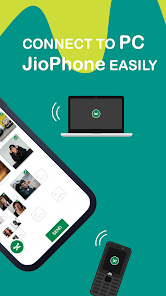
☆ Cross-Platform Supports: Android, IOS, Tizen, Windows, PC/ Mac
☆ No Need for USB connection or additional PC software
☆ The choice of 500 Million+ users
☆ Over 200 million files successfully transferred daily
☆ Play all music and videos right after receive
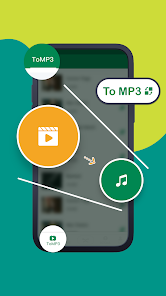
☆ New Feature [toMP3]: Convert Video to Audio
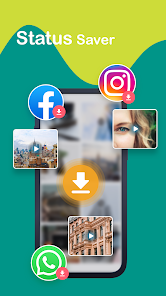
☆ Social Media Downloader:Save videos from Whatsapp, Facebook and Instagram
☆ Game Center –Hundreds of Casual Games available WithOUT install/ Download

【Main features】

☆ Transfer files with flash speed
Imagine sending your party video to friends in Seconds! The highest speed can reach 40Mb/s.

☆ Send Large Files without limitation (Original Size)
Sharing photos, music, videos, apps, documents and any other file types of Unlimited file Size.

☆ Free Network and Data Connection
No cables, no internet, no data usage! You can transfer files to friends anywhere and anytime.

☆ Share all kinds of files without restrictions
Transfer anything you want, from documents, music, pictures, to videos and apps.

☆ NEW Feature: toMP3 –Convert Video to Audio
2 Steps to change a video file into audio: change MV to song; change education videos to lectures; change voice record to ringtone; Listen to music without wasting battery on screen displaying…

☆ Free Download Whatsapp /FaceBook / Instagram Videos
Whatsapp status saver, Insta saver, Facebook downloader…: Download and share videos and status in ONE App.

☆ Smart phone replication
Smart switch mobile data like contacts, SMS, pictures, music, videos, games and any other files from your old phone to the new one in one simple step.

☆ File manager
Enables to view, move or delete files you received and even to make a backup copy whenever you need to clean the phone storage.


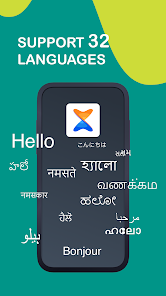
Supported languages
English, Arabic, Bengali, Chinese Traditional, Chinese Simplified, Greek, Hungarian, Indonesian, Italian, Japanese, Korean, Malay, Thai, Turkish, Hindi, German, Polish, Portuguese, Spanish, French, Vietnamese


How to install XAPK / APK file


Available on Google Play:


Available On App Store:


How to install OBB FILE on Android Devices
  1. Install Game.apk.
  2. Download the cache and unpack the archive with the folder inside Cache  or Zip File : Like: com.rockstargames.gtasa on the way: sdcard/Android/obb/
  3. The full path of the cache is supposed to be such:
    sdcard/Android/obb/com.rockstargames.gtasa/main.8.com.rockstargames.gtasa.obb
    sdcard/Android/obb/com.rockstargames.gtasa/patch.8.com.rockstargames.gtasa.obb

Wednesday, 26 April 2023

Solid Explorer File Manager


Screenshot image
Screenshot image
Screenshot image
Screenshot image
Screenshot image
Screenshot image
Screenshot image
Screenshot image
Screenshot image
Screenshot image
Screenshot image
Screenshot image
Screenshot image
Screenshot image
Screenshot image

Solid Explorer File Manager


Solid Explorer is a file management app inspired by the old school file commander applications. It will help you:
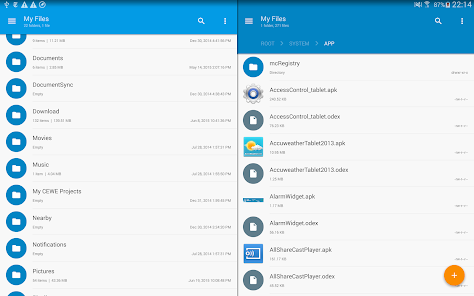
🗄️ Easily manage files in dual pane layout
🔐 Protect files with strong encryption
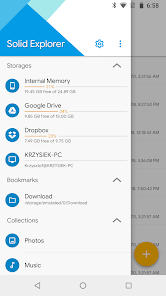
🖥️ Manage files on your cloud storage or NAS
☁️ Backup apps and files to any desired destination


Explore your device

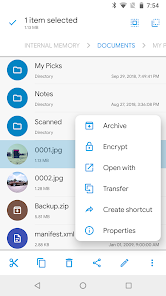
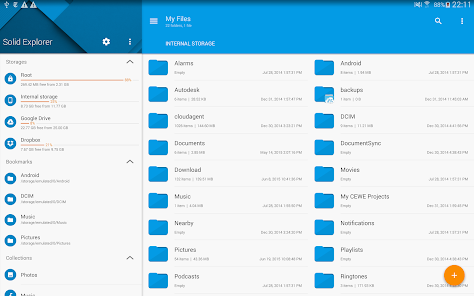
Solid Explorer lets you navigate to files stored on your device and automatically organizes them into collections. You can view, delete, move, rename or share any files. It also allows you to quickly find the files you need through indexed search with filters.


Keep your files safe

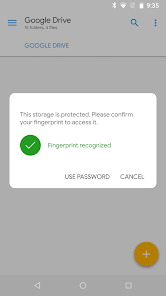
Solid Explorer can protect selected files with strong AES encryption and put them in a secure folder, which contents are unreadable for other apps. The file manager will ask for password or fingerprint confirmation when you browse the folder. Even if you uninstall Solid Explorer, the files stay on your device and are still protected.


Analyze Storage

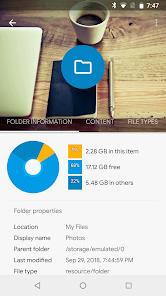
Although this file manager doesn’t feature a dedicated storage analyzer, you can find out which files take up most of space by going to folder properties of internal storage or SD card. You will find the information about the percentage of space each folder takes and the list of biggest files. You can also use search with a file size filter.


Organize remote files

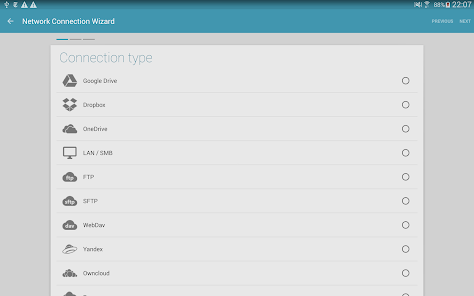
Solid Explorer supports major network protocols and cloud providers to let you organize multiple remote file locations in one place. You can easily transfer files between cloud locations/servers just by dragging them from one panel to another.


Major feature list:


• Files management - main storage, SD card, USB OTG
• Cloud storage - easily connect and manage files on Google Drive, OneDrive, Dropbox, Box, Owncloud, SugarSync, MediaFire, Yandex, Mega*
• NAS - support for major network protocols FTP, SFTP, SMB (Samba), WebDav
• File encryption - password and fingerprint protection
• Archives - support for ZIP, 7ZIP, RAR and TAR files
• Root explorer - browse system files if your device is rooted
• Indexed search - quickly find files on your device
• Analyze storage - manage files taking too much space on your device
• Organized collections - files categorized in Downloads, Recent,Photos, Videos, Music, Documents and Apps
• Internal image viewer, music player and text editor - for easier browsing on remote storages
• Batch rename - with support for naming patterns
• FTP Server - for accessing your local files from PC
• Themes and icon sets - rich customization options

Solid Explorer will also manage files on your Chromebook with support for mouse and keyboard input.

Useful links:

Reddit: https://www.reddit.com/r/NeatBytes/
Translation: http://neatbytes.oneskyapp.com


 DOWNLOAD APK

How to install XAPK / APK file


Available on Google Play:


Available On App Store:


How to install OBB FILE on Android Devices
  1. Install Game.apk.
  2. Download the cache and unpack the archive with the folder inside Cache  or Zip File : Like: com.rockstargames.gtasa on the way: sdcard/Android/obb/
  3. The full path of the cache is supposed to be such:
    sdcard/Android/obb/com.rockstargames.gtasa/main.8.com.rockstargames.gtasa.obb
    sdcard/Android/obb/com.rockstargames.gtasa/patch.8.com.rockstargames.gtasa.obb

Wednesday, 11 May 2022

File Manager


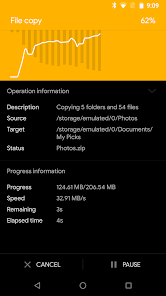
Document Manager + is a simple and strong record pioneer for Android gadgets. It's free, quick and unlocked. As a result of its straightforward UI, it's incredibly simple to utilize. You can without much of a stretch oversee stockpiles on your gadget, NAS(Network-appended capacity), and cloud stockpiles. Furthermore, you can track down the number of records and applications you have on your gadget initially following opening the application.

It upholds each record the executives activity (open, search, explore registry, reorder, cut, erase, rename, pack, de-pressurize, move, download, bookmark, and sort out) for different document designs including media and apk.

Significant areas and elements of File Manager Plus are as following:

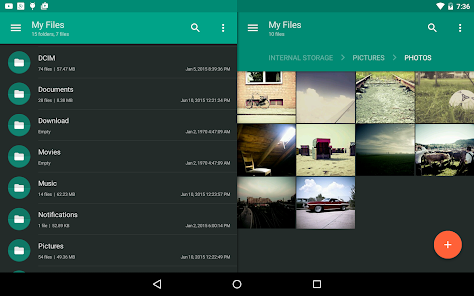
• Primary Storage/SD card/USB OTG : You can deal with all documents and organizers on both your inner stockpiling and outer stockpiling.

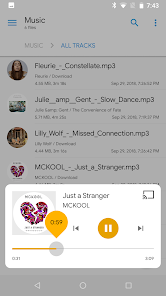
• Downloads/New records/Images/Audio/Videos/Documents : Your records and organizers are naturally arranged by their sorts and attributes so you can without much of a stretch find what you are searching for.

• Applications : You can see and deal with all applications introduced on your nearby gadget.

• Cloud/Remote : You can get to your distributed storage and furthermore remote/shared capacity like NAS and FTP server. (Distributed storage: Google Drive™, OneDrive, Dropbox, Box, and Yandex)

• Access from PC : You can get to your android gadget capacity from PC utilizing FTP(File Transfer Protocol).

• Capacity investigation : You can dissect nearby stockpiles to tidy up futile records. You can figure out which documents and applications occupy the most room.

• Inner picture watcher/Internal music player/Internal content manager : You can decide to utilize worked in utilities for quicker and better execution.

GOOGLE PLAY

DOWNLOAD

How to install XAPK / APK file


Featured Games

© 2022 - NAF - NextAppFinder.blogspot.com | Privacy Policy | Disclaimer

App Finder © 2022 - Designed by Templateism.com - Distributed by Copy Blogger Themes